 English
  简体中文
简体中文  한국어
한국어  Deutsch








Arbin Software lets you control a test with variables instead of fixed values. For example, rather than entering 4.2 V as a control value, you can set the next step’s control type to Last Step Maximum Voltage.
These variables can also be combined into formulas that drive the test. For example, you can define
FORMULA A = PRESENT CHANNEL VOLTAGE − MAXIMUM CHANNEL VOLTAGE
and then stop the charge step when FORMULA A falls below −0.1 — in other words, stop charging once the voltage has dropped 0.1 V below the highest value reached during the step.
Formulas support a wide range of mathematical functions — SIN, COS, LN, CEIL, and LOG10, among others — so you can define current as a function of time or of any other test parameter (for example, I = SIN(Step_Time), unit of Step_time is seconds).
A formula is defined within a specific schedule and can be used only in that schedule.
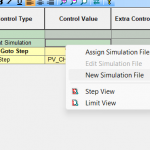
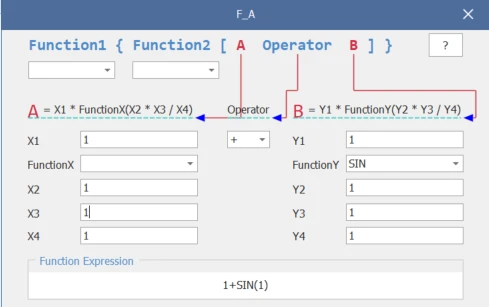
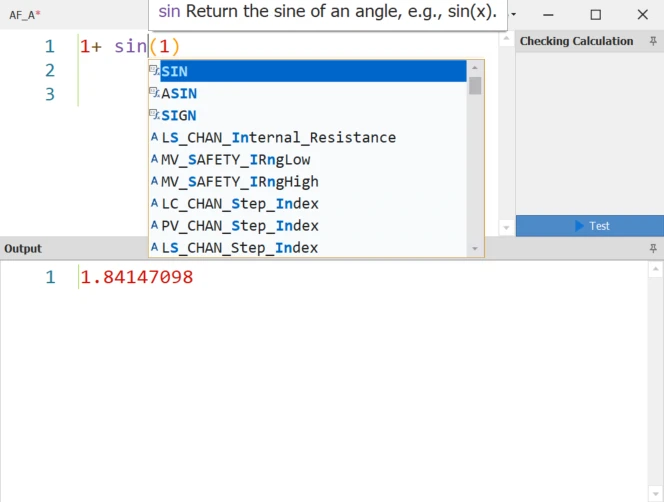
In addition to the standard Formula feature, the software provides Advanced Formula. It works the same way but with a more user-friendly interface. The two images below show the difference.
For more details, please visit: Formula and variables used in Arbin MITS software for flexible battery testing | Arbin Instruments

