 English
  简体中文
简体中文  한국어
한국어  Deutsch


In some cases, the charge or discharge current may be significantly lower than the configured value, or even close to zero. This issue is typically caused by software configuration limits or hardware-related problems.
This article provides a structured troubleshooting guide to help identify and resolve the issue efficiently.
Symptoms
You may observe the following:
-
The actual current is close to 0 A
-
The current is much lower than the configured set value
-
The system cannot reach the expected charge/discharge current
-
Current output appears capped or unstable
Possible Causes and Solutions
1. Schedule’s clamp setting limit current output
In global tab of schedule file, locate Clamp protections area
Ensure the entered values are appropriate. For example, if Current Clamp Low is -7A and Current Clamp High is 7A, setting the current to 10A or -10A in the schedule will not exceed the range (-7A, 7A).

Solution:
Remove the clamp value or enter a higher value as needed.
2. Max Current setting is lower than the configured current
If the Max Current defined in the schedule’s step is lower than the set current, the output current cannot reach the set current.
Solution:
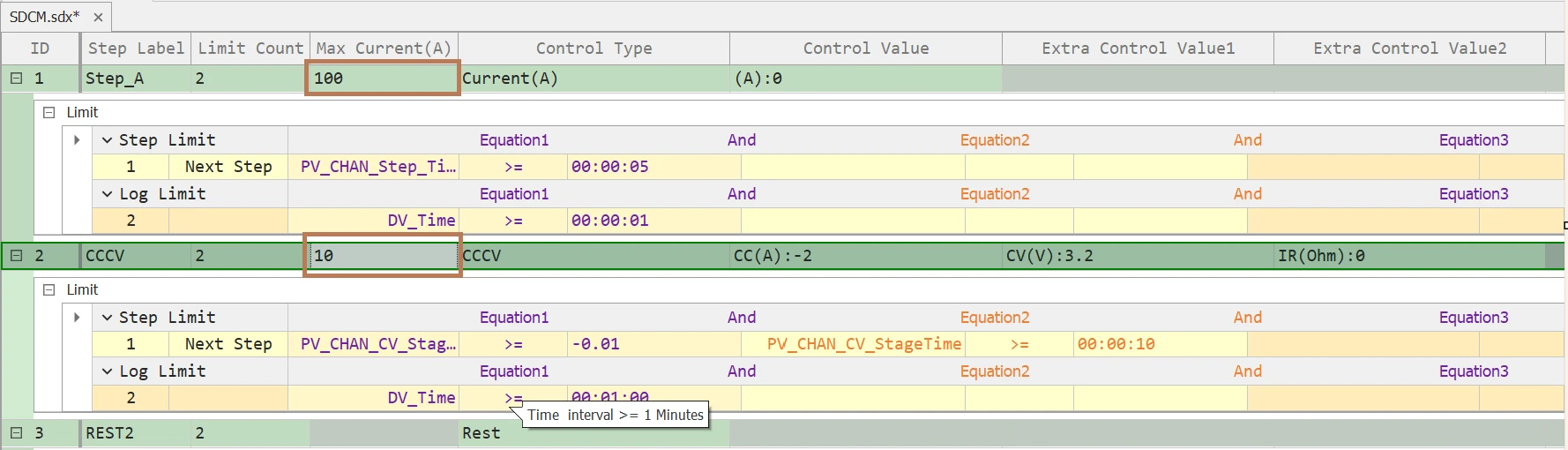
In schedule file, locate Step Limit tab.
-
Increase the Max Current value
-
Ensure it matches or exceeds the desired current level
3. Fuse on IV board is broken
Remove the IV board and check the fuse with a meter set to ohms.
4. Switching Power Supply is off or not working
If the current is nearly zero, the Switching Power Supply (SPS) may not be turned on.
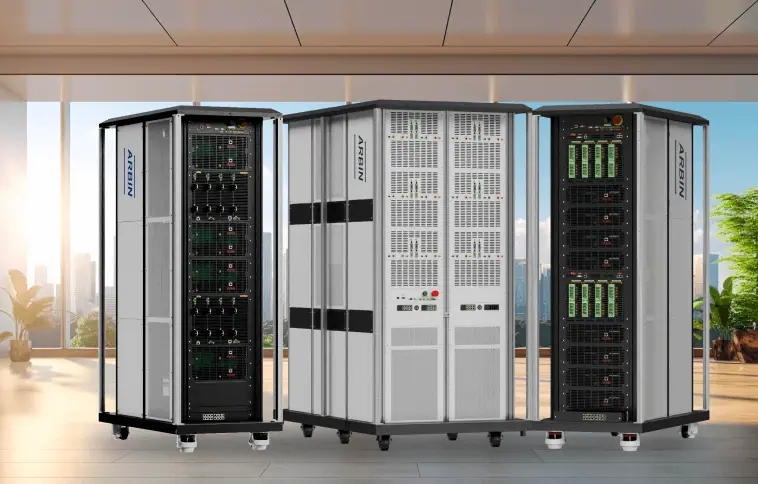
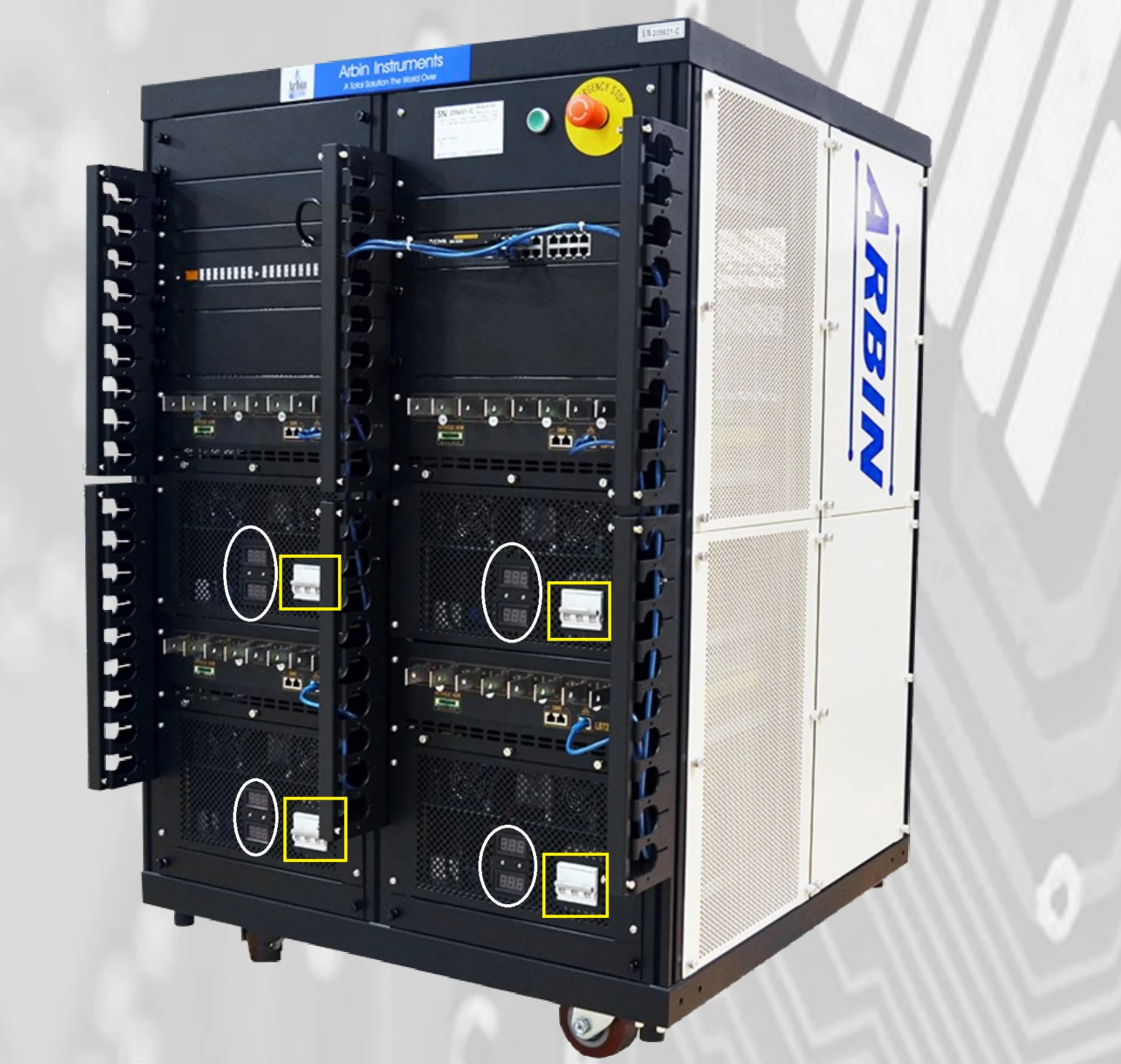
The picture below shows a typical Arbin machine with SPS, the SPS’s air breaker are the white colors in the yellow rectangles. On their left side are light indicator showing V++ and V– (circled in white).
For smaller machines, the Switching Power Supply maybe hidden inside the chassis.
Solution:
a. For visible switching power supply
-
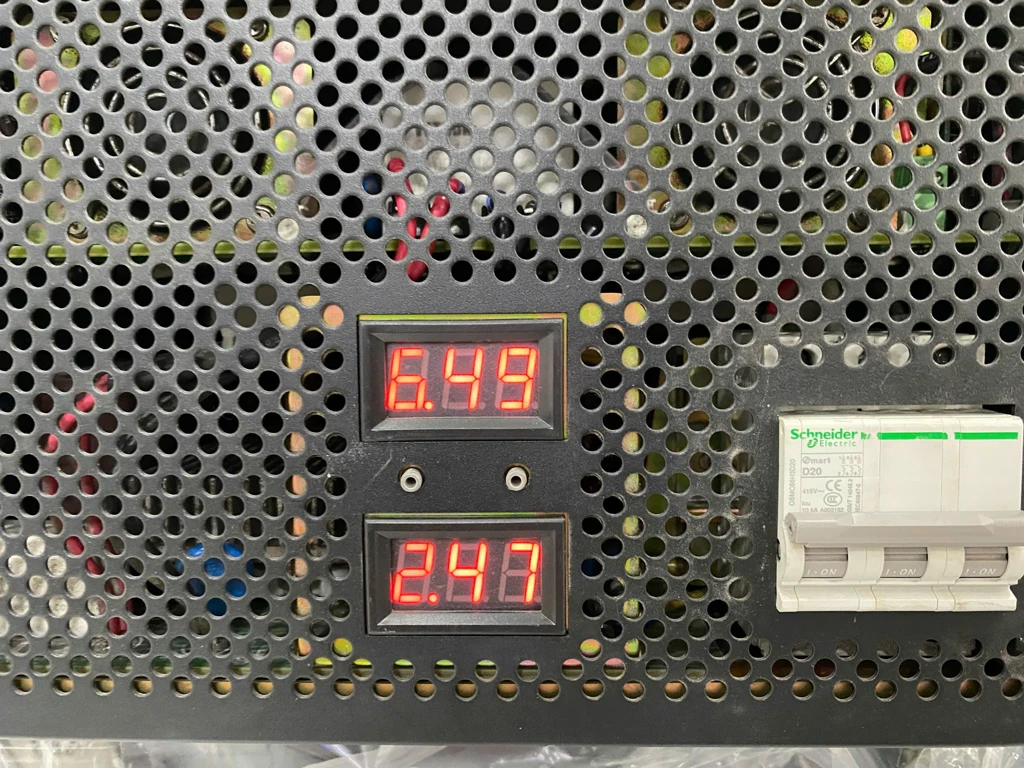
Turn on the switching power supply and ensure the light indicators are on as shown below:
-
If the air breaker is on but the light is off, check the three-phase power supply at the machine’s rear.
-
If the breaker is on and only one light indicator is lit, the SPS has a hardware issue. Please contact Arbin support.
b. For hidden switching power supply
-
Try issuing a small current using the machine’s lowest range, e.g., I range4. If it outputs the correct current with this range but fails with others, the switching power supply is likely faulty.
Please contact Arbin support for assistance.
5. V++ or V– is too small
The symptom is that the charge current drops when voltage is high and the discharge current drops when voltage is low (e.g., in systems like LBT21). This may indicate insufficient V++ voltage.
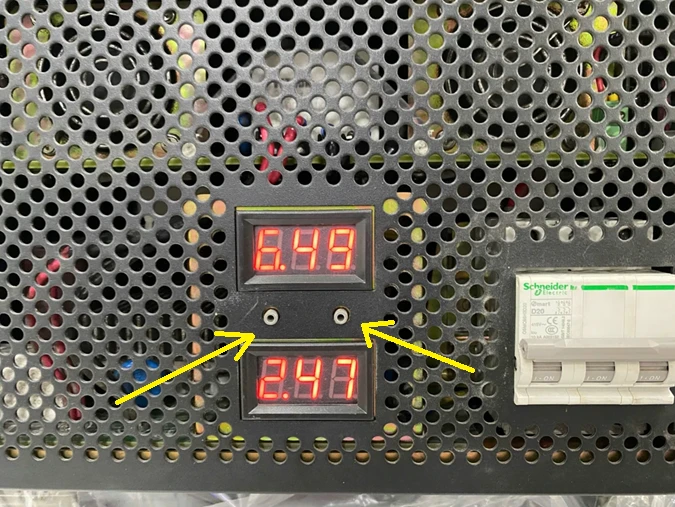
Ensure the voltage shown on the light indicator reasonably covers the voltage range in the specs. For example, here, V++ = 6.49V and V– = -2.47V, so the range [-2.47V, 6.49V] covers this machine’s 0-5V range.
To adjust V++ or V–, use the tool to turn the round button indicated by the two yellow arrows to increase or decrease V++ and V–
7. Other reasons
If you completed the troubleshooting above but still cannot resolve the issue, contact Arbin support at https://www.arbin.com/contact-us.html
Summary table
|
Symptom |
Possible Cause |
Recommended Action |
|---|---|---|
|
Current ≈ 0 |
Power supply OFF |
Turn on SPS |
|
Current ≈ 0 |
Fuse is broken |
Replace the fuse |
|
Current limited at a constant value lower than set value |
Clamp setting issue |
Adjust or remove clamp value |
|
Current limited at a constant value lower than set value |
Max Current is too low |
Increase Max Current |
|
Current drops at load’s high voltage while charging |
V++ is insufficient |
Increase V++ |
|
Current drops at load’s low voltage while discharging |
V– is insufficient |
Increase V– |
|
Current is normal at lowest range but not working in other ranges |
SPS is not working |
Contact Arbin support |

