 English
  简体中文
简体中文  한국어
한국어  Deutsch





This error occurs only when the Channel Based Voltage Clamp option is unchecked in ArbinAdvSys.cfg. This means all IV channels on the same IV channel board share one voltage clamp/voltage check. The MITS software must ensure all schedules on the same IV board channels share the same Voltage Clamp setting; otherwise, the Conflict Clamp V error appears.
Recently, almost no Arbin system has shared Voltage clamp, so most of the time, this unsafe is due to wrong Advanced feature setting. Simply check Channel Based Voltage Clamp in ArbinAdvSys.cfg would solve the issue.
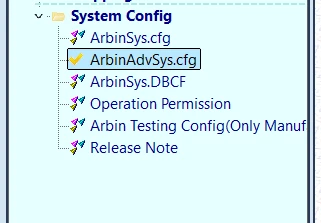
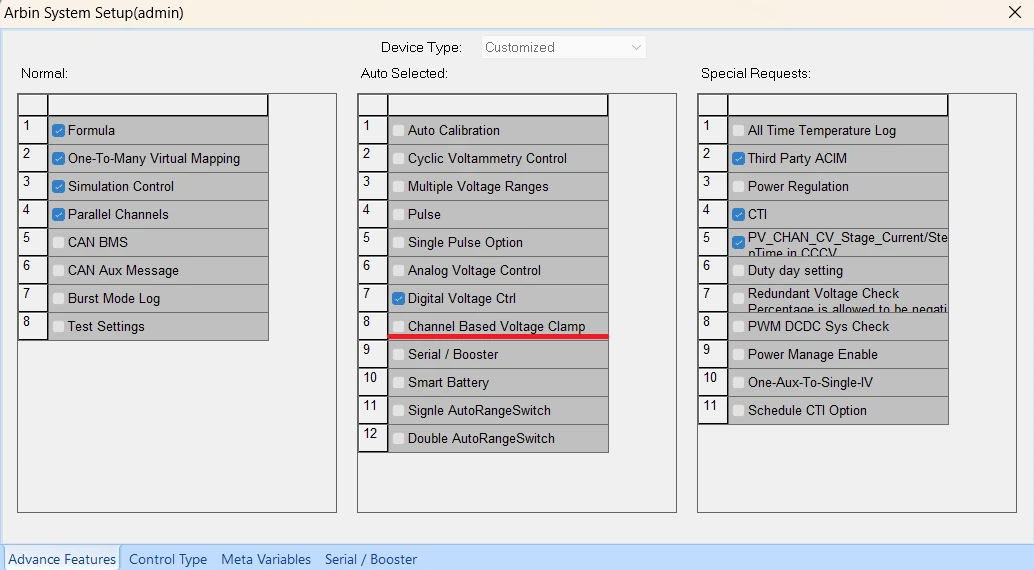
Please note you may need an Arbin support engineer’s help to make this change because it requires an sa account, not an admin account.

