 English
  简体中文
简体中文  한국어
한국어  Deutsch








In Arbin software, MV_UD (short for User-Defined Meta Variables) is a powerful tool for controlling battery testers. This article explains how to use MV_UD in Arbin MITS software.
-
Storing Values in MV_UD with SetValue(s)
In the Control Type list, select SetValue(s).
SetValue(s) assigns a fixed value of a physical quantity at a specific moment to the user-defined meta variable (MV_UD). We’ll cover the details in the sections below.
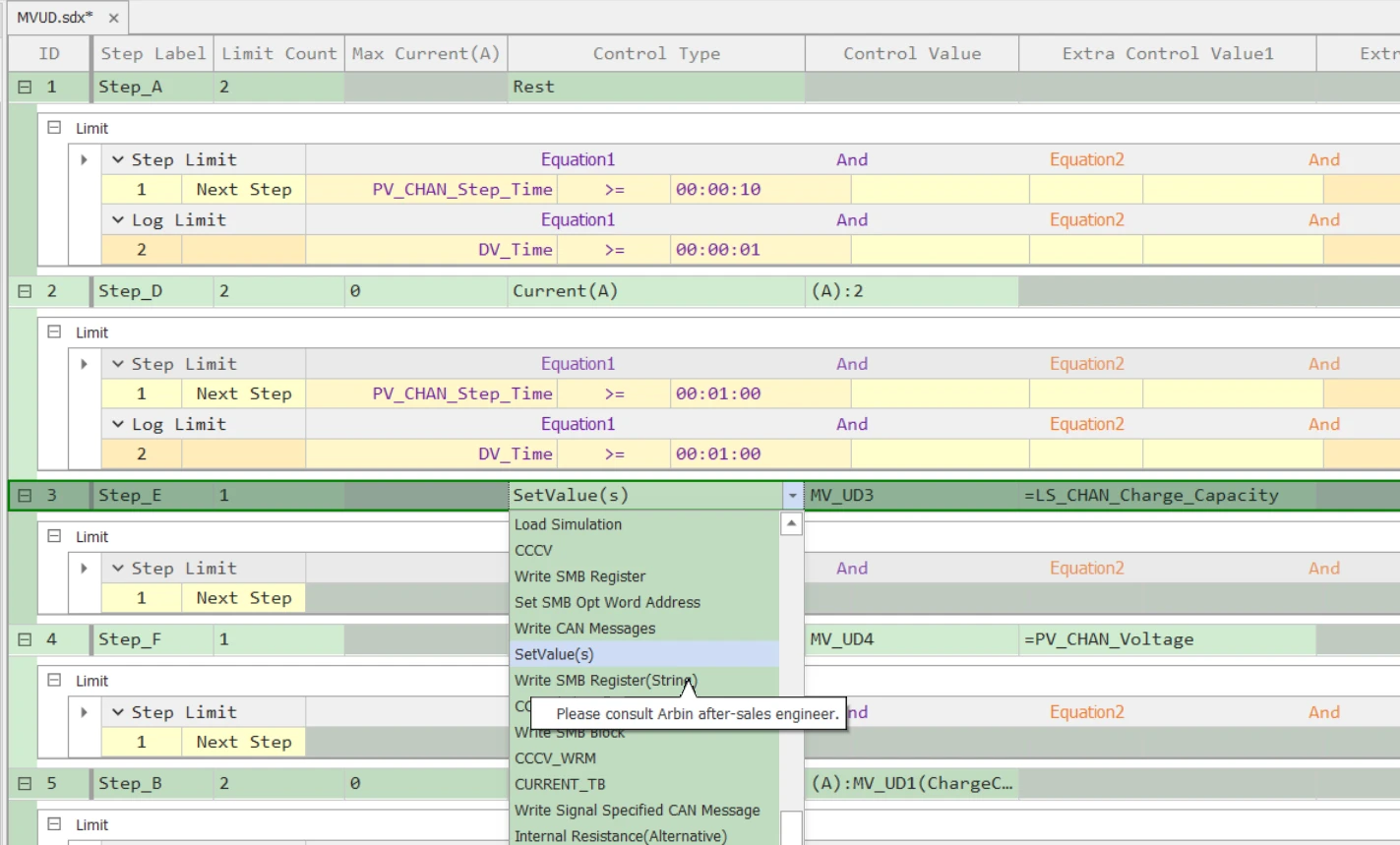
In the Extra Control Value1 field, select the parameter you want to store. The software provides many parameters; in this example, LS_CHAN_Charge_Capacity is selected. LS_CHAN_Charge_Capacity is short for Last Step Channel Charge Capacity. Here, it captures the channel’s Charge Capacity from the previous step (Step_D – Current).
In the Control Value field, select the MV_UD variable where you want to store the value. In this example, MV_UD3 is used because MV_UD1 and MV_UD2 are reserved for another example. In total, there are 16 MV_UD variables available.
With this setup, the value of LS_CHAN_Charge_Capacity at that moment is assigned to MV_UD3. For instance, if the value is 1.2 Ah, then MV_UD3 will hold 1.2 Ah. When MV_UD3 is called in later steps, it will still return 1.2 Ah unless you assign a new value to MV_UD3.
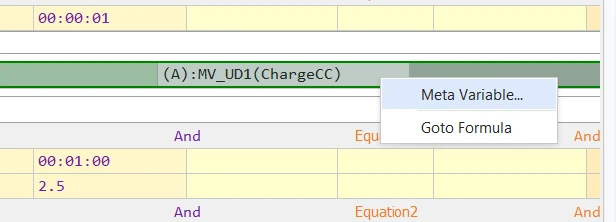
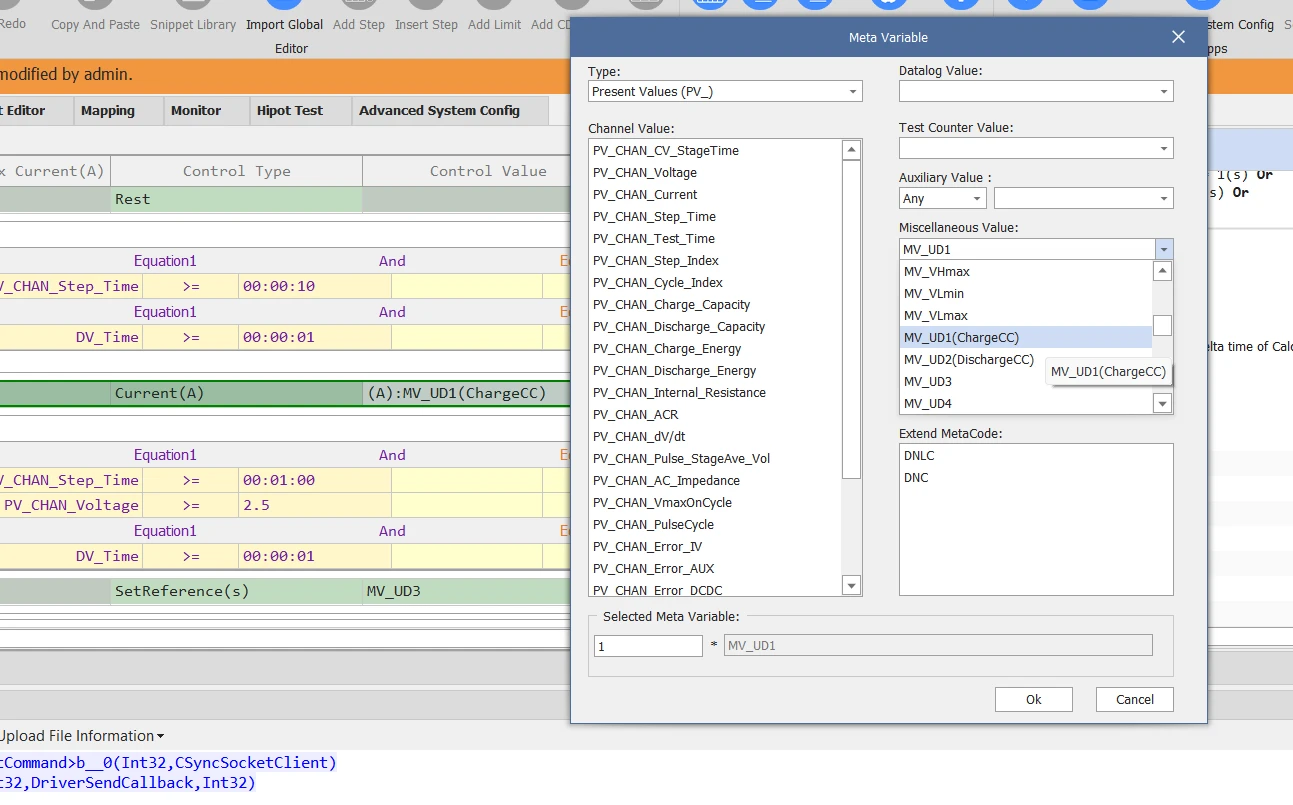
Besides charge capacity, it can store many other variables well—for example, the last-step voltage, formulas, and CAN/SMB messages. To explore these options, right-click the Control Value field and choose either Meta Variable… or Goto Formula.
-
Store Variables in MV_UD Using SetReference
SetReference(s) stores a reference in an MV_UD meta variable. Unlike SetValue(s), the stored reference is linked to the selected metavariables—so when that metavariable’s value changes, the value of MV_UD updates automatically. We’ll cover the details in the sections below.
In the Control Type list, select SetReference(s) instead of SetValue(s).
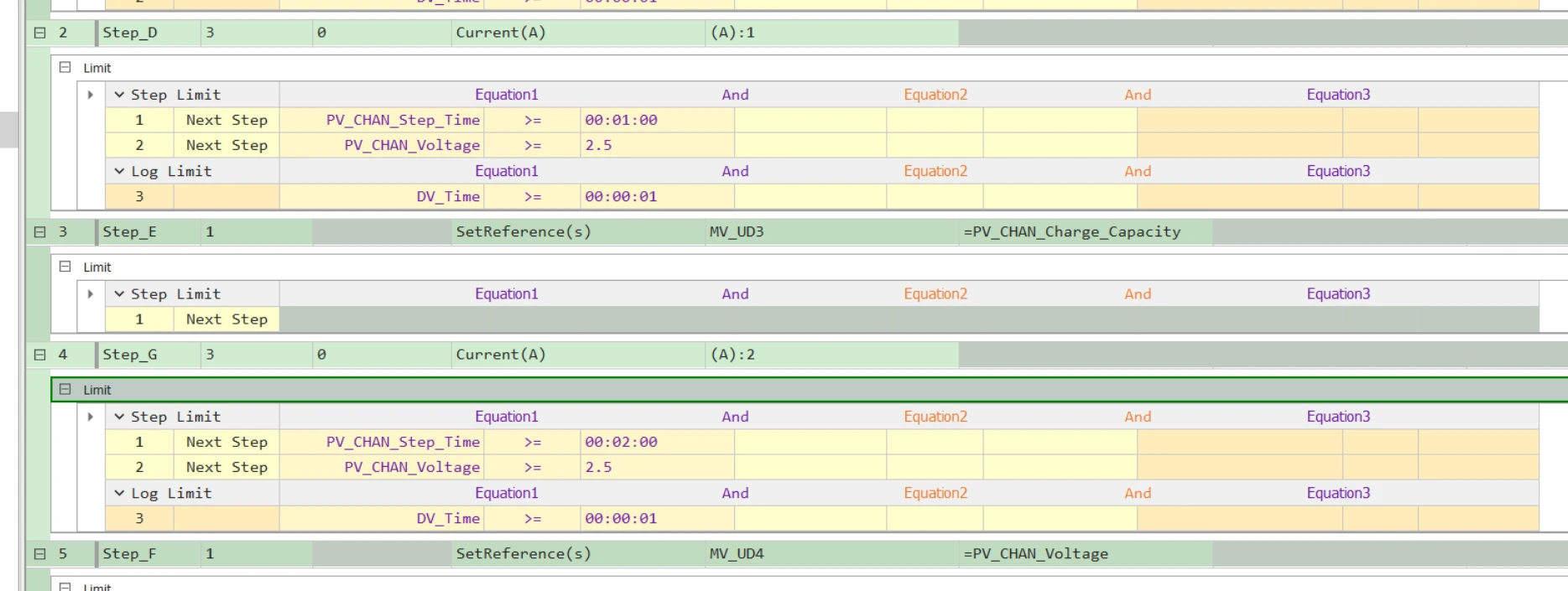
In the example above, after Step_E assigns Channel Charge Capacity to MV_UD3, MV_UD3 updates continuously as that quantity changes over the course of the test, as shown in the data below:
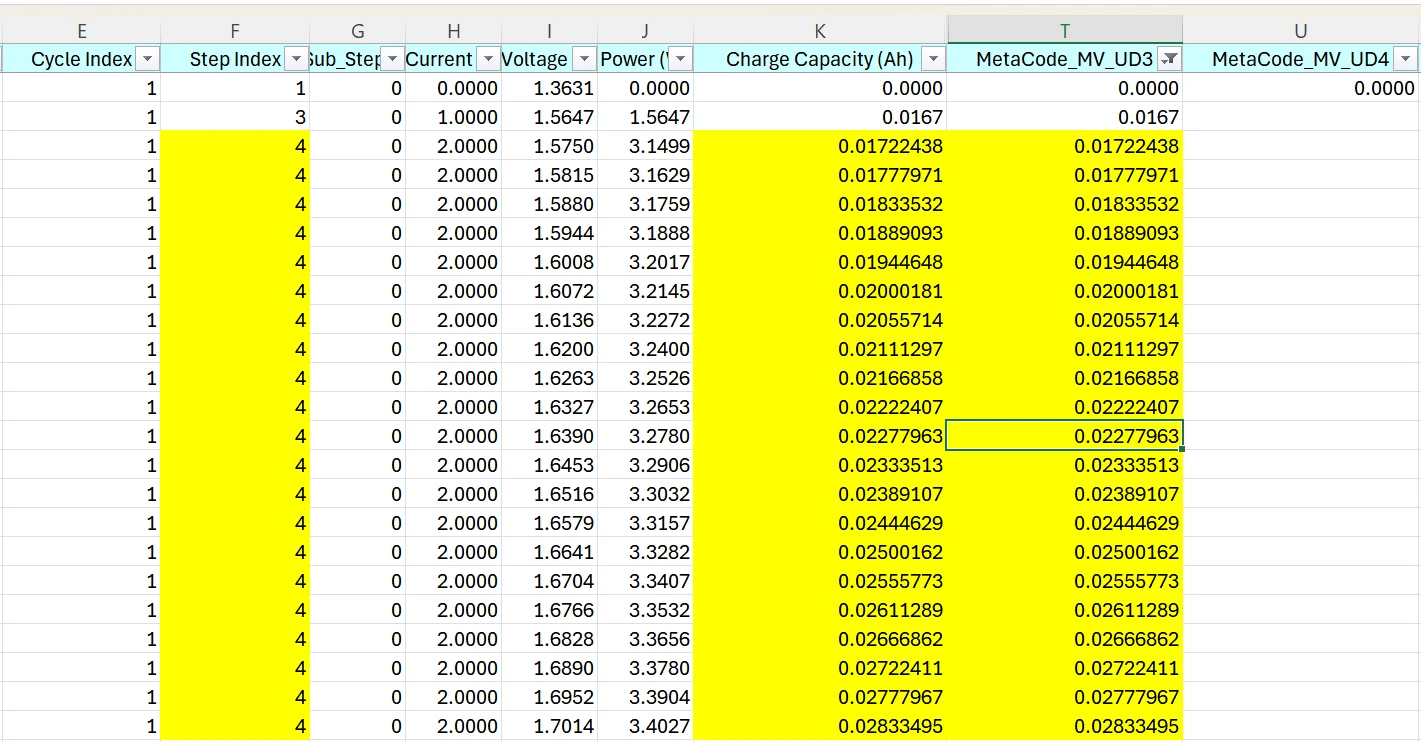
We can see that even after Step 3, MV_UD3 continues to update during Step 4. This behavior is the key difference compared with the SetValue(s) control type.
SetReference is usually used to record the referenced value to the exported date file.
-
Update MV_UD from third-party software via CTI(Console TCP/IP Interface) and use it to control the channel.
We’ll walk through a simple example of using MV_UD to control the current during a test. In this example, we use the Current control type and set the current using an MV_UD value rather than a fixed number.
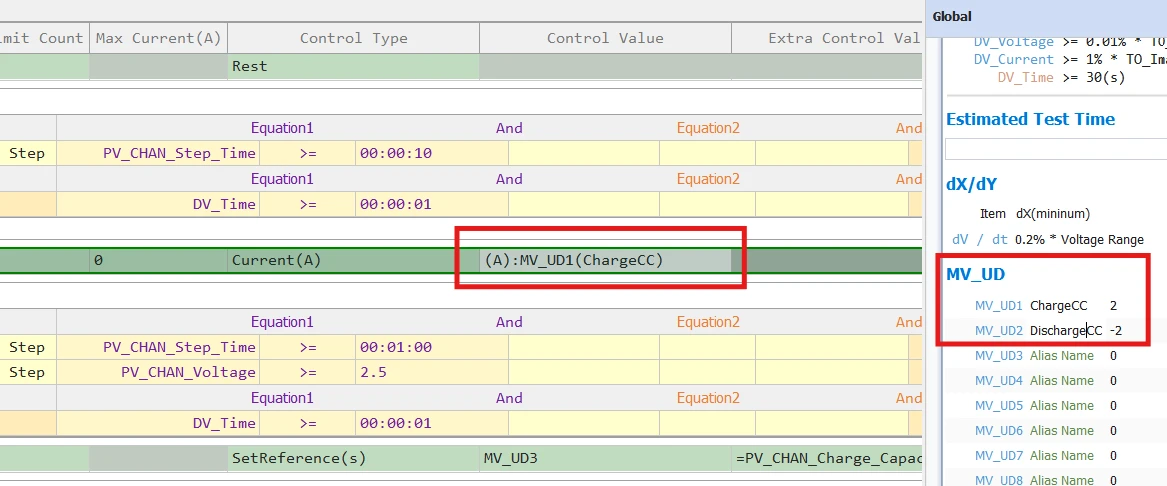
In the Control Value field, select MV_UD1 instead of entering a numeric value (right-click → Meta Variable).
Optional: In the Global tab, you can assign alias names to MV_UD1 and MV_UD2. In this example, they are named ChargeCC and DischargeCC. You can also set default values for these variables:
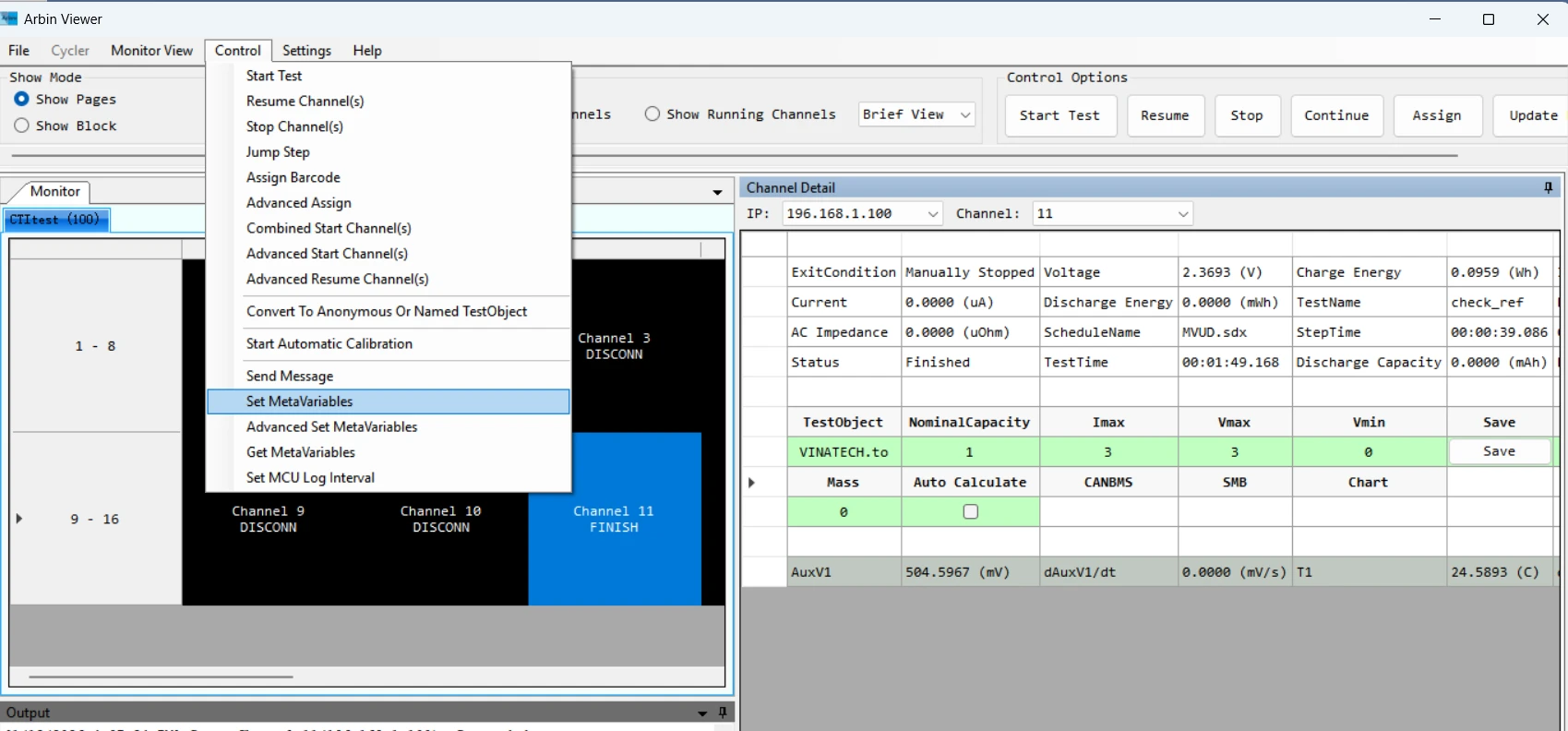
As an example of a third-party application using CTI, we’ll use ArbinViewer. Although ArbinViewer is developed by Arbin, from the MITS software perspective it is treated as third-party software. Users can develop their own script/software to update MV_UDs through CTI.
After you complete the connection and setup in ArbinViewer, go to Control → Set MetaVariables, then assign the required value to MV_UD1.
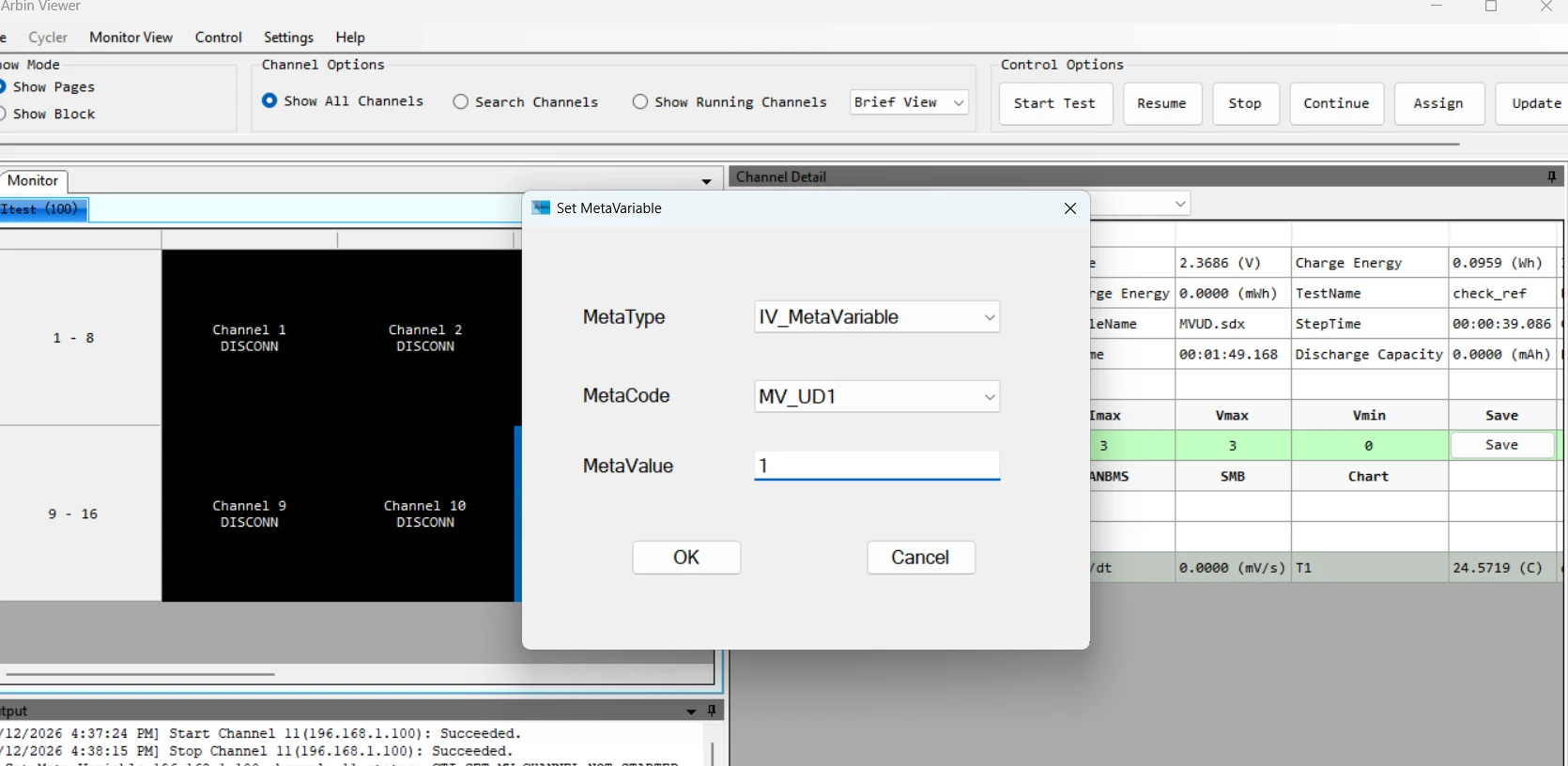
This value is sent to MITS and used to update the current setpoint in the Current step.
Note: The channel receives MV_UD updates only while the test is already running. If you set MV_UD before starting the channel, the value will not take effect.
In addition to the Current control type, you can use the same MV_UD method with many other control types, such as Voltage, Power, and C-Rate.
Reference:
ArbinViewer manual
MITS manual

