 简体中文
简体中文  English
  한국어
한국어  Deutsch
How to plot Potential vs Current Graph by Arbin Data Watcher
1. Introduction 1.1 Background Arbin DataWatcher is primarily used as…

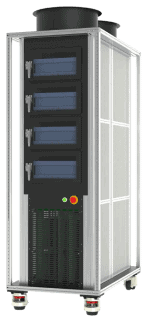
1. Introduction 1.1 Background Arbin DataWatcher is primarily used as…

1. Introduction Battery testing is fundamentally a measurement task. Whether evaluating cycle life…
Energy efficiency is a crucial concern for every factory and department…
Information and Instructions for using the Simulation…
Generally, there are several points to note: Arbin machines typically have a working ambient temperature range of 0°C to 30°C. Therefore, please prepare the air-conditioning system accordingly. The power grid system must be prepared to match the machine’s input power requirements. For example, some machines require single-phase power input, while others require a three-phase power […]
Arbin systems will be shipped with a computer that includes the full software kit pre-installed. The system hardware setup is simple: customers can easily set it up themselves by connecting the cycler to the computer and auxiliary devices using Ethernet cables. Figure 1: Example TCP/IP Connection to Arbin Main System The software is fully installed. […]
Normal bank wire transfer is preferred. We avoid LC. Arbin’s standard payment mode is 40% – 40% – 20%. The first 40% is due right after the PO is received. Production starts only after Arbin’s bank account receives this payment. Lead time counts from this moment, not from PO receipt. The second 40% is due […]
This error occurs only when the Channel Based Voltage Clamp option is unchecked in ArbinAdvSys.cfg. This means all IV channels on the same IV channel board share one voltage clamp/voltage check. The MITS software must ensure all schedules on the same IV board channels share the same Voltage Clamp setting; otherwise, the Conflict Clamp V […]
This error means the Aux channel lost communication with IV channels. It usually occurs when the Batch/Mapping file was created or modified without downloading it to the cycler. Downloading the Batch/Mapping file resolves this issue: If this does not resolve the issue, check the cable connection from the Aux module to the computer. If the […]
Installing a battery inside the chambers or glovebox is optional, Arbin can integrate it if customers need it for testing. Arbin offers an 8-zone temperature chamber for battery testing (MZTC) with an operating temperature of 10-60C and for cells rated up to 60A. Connections are made easy with the cables between the chamber and tester. […]
There are several way to connect to the DUT as follows: Individual cables Individual cell holders (coin cells, cylindrical cells, flat/pouch cells) Trays for holding multiple cells (coin cells, cylindrical cells, flat/pouch cells) Racks for organizing cells Chambers We will go to each method one by one as follows: 1. Individual cables It could be […]
The “IR Inf” error occurs when the system fails to obtain a valid result during an Internal Resistance (IR) measurement step. This typically happens when the measurement conditions are not sufficient to produce a reliable calculation, causing the system to return an infinite (invalid) resistance value and stop the test. Solution: Make sure the amplitude […]
The answer is yes and no. Yes, if those chambers use the same communication protocol. For example, Votsch VT4002 and Weiss WT20/40 use the Votsch L4006 protocol. If you have these two chambers, you only need one MTCI unit. However, if you have another chamber like Espec SU-241 that uses the Espec SCP220/SCP-N300/SCP310 protocol, you […]
Yes. Arbin Data Watcher software (Version 2.2.217 and later) can do this. In Data Watcher software, click “Edit Chart Template”. From the Model dropdown, select “CycleCompare”. Return to the main window of Data Watcher. In the axis configuration, you can select the physical quantity for the X, Y1, and Y2 axes. In this example, X […]
The “Step Control Error Check Unsafe” warning indicates that the system has detected a significant deviation between the expected (configured) output and the actual measured output during a test step. They are designed to detect open circuits or short circuits caused by loose IV cable connections, it also detects abnormal output when the system has […]
In some cases, the charge or discharge current may be significantly lower than the configured value, or even close to zero. This issue is typically caused by software configuration limits or hardware-related problems. This article provides a structured troubleshooting guide to help identify and resolve the issue efficiently. Symptoms You may observe the following: The […]
