 Deutsch
  English
  简体中文
简体中文  한국어
한국어 







In some cases, users may successfully configure (map) an auxiliary channel, but the corresponding auxiliary values do not appear during test execution.
This issue is typically caused by missing schedule assignment or incomplete auxiliary channel configuration within the schedule.
Possible Causes
-
No schedule or an incorrect schedule is assigned to the channel
-
Forgot to add Aux number and Safety value for Aux
Solution
-
Assign the correct schedule to the channel
-
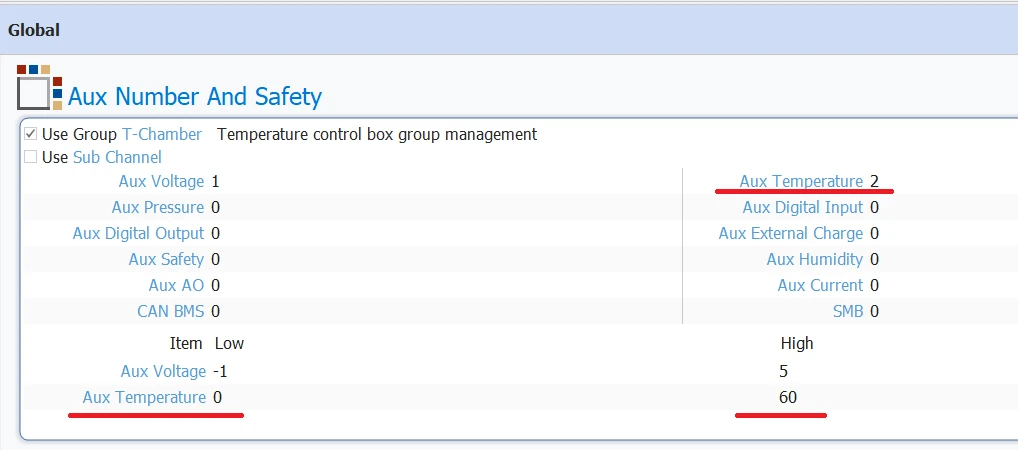
Open Schedule Editor → Global Page → Auxiliary Number and Safety → Add number of Aux and Safety value
The following picture shows the Auxiliary Temperature setting, underlined in red. Similar settings apply to Aux Voltage and other auxiliaries:
auxiliary number and safety mits
Quick Check
✔ Auxiliary channel is mapped
✔ Schedule is assigned
✔ Auxiliary is added in schedule (Aux number safety on Global Page of Schedule Editor)

